Generate complete operational reports from live data with a single click - or on a schedule - without manual data extraction, spreadsheet assembly or export overhead.
CAPABILITY OVERVIEW
Reports that build themselves.
Rayven's dynamic reporting capability eliminates the manual reporting burden.
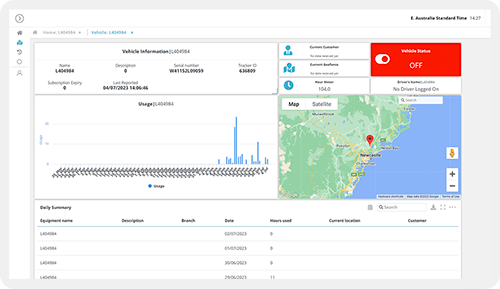
Configure report layouts using the same widget library as dashboards - charts, tables, KPI tiles, maps + more. Connect each element to a live data source.
When a report is generated, Rayven pulls the current data, renders the layout + produces a shareable, exportable document. No manual data extraction, no spreadsheet assembly, no version control. Reports reflect the current state of your operation at the moment of generation.
Data sources feeding dashboards include:
Cassandra time-series data (per-UID + per-Node)
Primary + Secondary Table records (MySQL queries)
ML model prediction outputs + confidence intervals
Calculated aggregations from workflow processing
External API feeds via GET endpoints
KEY CAPABILITIES
What Dynamic Reports give you.
On-demand + scheduled generation
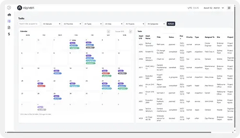
Generate reports instantly on demand with a single click, or configure scheduled report generation using cron triggers in the workflow builder. Daily operational summaries, weekly KPI reports + monthly compliance documents can all be produced automatically at the configured time - without any manual trigger required.
40+ widget-based report layouts
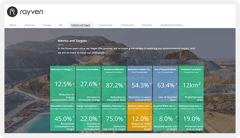
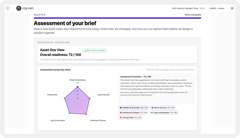
Build report layouts using the same 40+ widget library as dashboards - charts, tables, KPI tiles, gauges, maps + more. Each element connects to a live data source. Layouts are configurable per report type, audience + use case. Reports look polished without design overhead.
Exportable + shareable formats
Generated reports are shareable via URL + exportable in configurable formats. Export for presentations, compliance submissions + stakeholder distribution without manual reformatting. Each export captures the data state at the moment of generation - providing a point-in-time record for audit and reference.
Real-time data at time of generation
Reports always reflect live data at the moment they are generated. No cached snapshots, no scheduled data extracts, no lag between what the data shows and what the report contains. For scheduled reports, the data captured is current at the time the cron trigger fires.
GenAI query interface on reports
Add a conversational analytics widget to any report, allowing recipients to ask questions about the data in plain English. Trained on your operational data, the interface answers context-specific queries about the report content - enabling self-service data exploration without requiring a data analyst.
Compliance + audit-ready reports
Configure report layouts specifically for regulatory submissions - air quality readings, safety incidents, energy consumption, maintenance records. Reports pull from the same governed Cassandra + MySQL stores as operational dashboards, ensuring consistency between operational data and submitted reports.
HOW IT CONNECTS: EXPLAINER
Where Dynamic reports fit in theRayven Platform stack.
Dynamic Reports sit in the Presentation Layer as a structured, exportable view of platform data.
Report elements pull live data from the Data Layer (Cassandra + MySQL) and the Execution Layer (workflow outputs, ML predictions, aggregated calculations).
Automated daily shift reports for a manufacturing plant
A production manager configures a daily shift report pulling OEE metrics, downtime events + production totals from Cassandra per-shift. A cron trigger fires at 06:00 each morning, generates the report with current data + distributes it via email to the operations team. No data extraction, no spreadsheet - the report arrives ready to use.
On-demand compliance submission for an environmental operator
An environmental monitoring company generates regulatory compliance reports on demand from sensor data stored in Cassandra. A single click produces a formatted report containing 24-hour averages, exceedance events + calibration records across all monitoring points - ready for submission to the regulator without manual data preparation.
An MSP configures per-client report templates with Label-based data scoping. Each client triggers their own report via a button in the branded portal. The report renders with the partner's branding, pulls only that client's operational data + is exportable for the client's own records - delivered as the partner's own reporting service.
Rayven Dynamic Reports FAQs:
What is a Dynamic Report in Rayven?
A Dynamic Report is a scheduled, template-based report generated automatically from live Rayven data. It runs on a configured schedule, populates with current or historical data, and is delivered to defined recipients - with no manual preparation required. See the Presentation Layer.
What data can be included in a Dynamic Report?
Any data stored in Rayven - Primary and Secondary Table records, Cassandra time-series aggregations, calculated KPIs and form submission data. Reports can combine multiple datasets in one output. See Unified Data Tables.
How are reports delivered?
Reports are delivered via email to configured recipients. Outputs can also be written to FTP, S3 or an API endpoint. Multiple delivery methods can be configured for the same report. See the Integration Layer.
Can reports be filtered per asset, customer or location?
Yes. UID-based filtering means the same report template can generate per-entity outputs - a separate report per customer, per site or per asset group. Each recipient receives only data relevant to their entity. See Data Management.
Can reports include charts and visualisations?
Yes. Dynamic Reports support embedded charts - time-series plots, bar charts, KPI summaries - alongside tabular data. Chart types mirror those available in the dashboard builder. See Dashboards + Visualisations.
What file formats can reports be exported in?
Reports can be generated as PDF for formatted presentation or as CSV/Excel for data analysis. Format is configurable per report template. See all Presentation Layer output options.
Can I use a custom report template?
Yes. Report templates are configurable with custom branding, layout and content structure. HTML and CSS customisation allows reports to match your organisation's visual standards. See HTML + JavaScript.
Can a report be triggered by an event rather than a schedule?
Yes. Reports can be triggered by workflow events - a threshold breach, a form submission, an anomaly detection result - in addition to scheduled runs. Explore Workflows + Triggers.
How far back can Dynamic Reports pull historical data?
Reports can query any data retained within the configured retention window. For Cassandra time-series data this depends on the TTL setting; for MySQL records it depends on your retention configuration. See SQL + Cassandra Storage.
Can access to specific reports be restricted by user role?
Yes. Report generation and delivery are controlled by the workflow configuration. Only designated recipients receive their assigned report outputs. Label-based access control governs which data each report can include. See Security.