Platform > Presentation / UI Layer > Custom Form Builder
Custom form builder.
Build operational data capture forms that feed directly into workflows - field inspections, service requests, approvals + more - with conditional logic, file attachments + mobile access.

CAPABILITY OVERVIEW
Every form you need, configured without code.
Rayven's custom form builder creates structured data capture interfaces for any operational process.
Build forms using a drag-and-drop field configuration - text, numeric, date, dropdown, multi-select, file upload + more. Apply validation rules, conditional display logic + role-based field visibility.
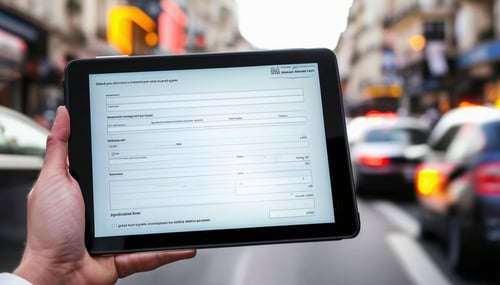
Forms are embedded in dashboards or deployed via direct URL or QR code scan. Every submission fires a connected workflow immediately, routing data to storage, processing, AI nodes or automated actions without manual re-entry. No spreadsheets, no paper, no disconnected email chains.
Data sources feeding dashboards include:
-
Text + numeric field inputs
-
Date + time selection
-
Dropdown + multi-select fields
-
File attachments (images, documents)
-
Button-triggered workflow events
-
QR code-initiated form launches
Outbound connections include:
Form submission data routing into connected workflows
Update Tables node writes (Primary + Secondary Table records)
Conditional workflow routing based on submitted field values
Automated notifications + alerts on submission
KEY CAPABILITIES
What Custom Form Builder give you.
Drag-and-drop field configuration
Build forms using a visual field configuration interface. Add text, numeric, date, dropdown, multi-select, file upload + button fields without code. Configure validation rules, required field settings + display order per form. Changes deploy immediately - no release cycle required.
Conditional display logic
Show or hide fields based on prior selections using configurable display logic. A dropdown selection can reveal or hide relevant follow-up fields, keeping forms clean + context-relevant for the person completing them. Complex conditional paths are configured within the form builder without JavaScript.
Real-time workflow trigger on submission
Every form submission fires the connected workflow immediately. Submitted data is available to all downstream workflow nodes - storage, AI processing, automation + alerting - within seconds. Approval routing, work order creation, alert dispatch + database writes all trigger automatically from the submission event.
Role-based field visibility
Configure which fields are visible to which user roles. A manager's view of the same form might include approval fields, cost inputs + priority settings that a frontline worker doesn't see. Role-based visibility ensures every user sees only the fields relevant to their task.
File attachment capture
Forms support file upload fields for image capture, document submission + evidence collection. Attachments are stored via FTP immediately on submission and available to connected workflows - for AI extraction, archival, compliance documentation or downstream processing.
Embedded + standalone deployment
Embed forms within Rayven dashboards + application interfaces, or deploy via direct URL or QR code scan for standalone access. Field teams access forms from any browser on any device without app installation. Asset-specific QR codes launch pre-configured forms directly against the correct UID.
HOW IT CONNECTS: EXPLAINER
Where Custom Form Builder fit in the Rayven Platform stack.
The custom form builder sits in the Presentation Layer as the human data entry interface connecting directly to the Integration Layer's data ingestion capabilities.
-
Form submissions enter the platform as workflow trigger events.
-
Submitted data flows through the Execution Layer's processing + logic nodes.
-
The Data Layer stores submission records in Primary or Secondary Tables.
-
The Presentation Layer surfaces form-captured data in dashboards, reports + operational interfaces.
Manual form data and automated data sources merge into the same workflow pipeline.
USE CASES
How Custom Form Builder gets used.
Digital field inspection for an infrastructure operator
Site inspectors scan an asset QR code, complete a structured inspection form on their phone + submit. The workflow logs the result to a Secondary Table, updates the asset's last-inspection timestamp + triggers an escalation alert if a critical defect is flagged. All within seconds of submission, with no manual data entry or paper processing.

Customer onboarding for a financial services firm
A financial services firm captures customer onboarding data via a Rayven form embedded in their client portal. Role-based field visibility shows compliance questions only to relevant staff. Submission fires a workflow that validates inputs, creates the client record + routes the application to the next stage - no manual re-entry between systems.

Partner building a service request portal for a facilities client
An MSP builds a white-label service request portal using Rayven forms for a facilities management client. Clients submit requests via a branded interface; the MSP's operations team receives structured data in a workflow dashboard with automated routing based on request category. Delivered as the partner's own service management product.

Rayven Custom Form Builder FAQs:
Text, numeric, date/time, dropdown, multi-select + file upload. Validation rules can be set per field - required/optional, format constraints, numeric ranges + more. Additional interactivity and custom field types are available via HTML + JavaScript injection.
Yes. Form widgets are a standard Presentation Layer component and embed directly within any dashboard or application screen. Forms can sit alongside charts, tables + KPI tiles in the same interface - allowing data capture and data display to coexist in a single operational view.
Immediately. Form submissions trigger the connected workflow in real time. Submitted data is available to all downstream nodes - storage, AI, automation + alerting - within seconds of submission.
Yes. Forms launched via asset-specific QR codes carry a UID parameter that scopes the submission to the correct record. The same form template captures data against different UIDs without duplication - form submissions are automatically associated with the correct asset or entity.
Yes. A form submission event can route into an approval workflow chain. The submitted data is the payload; the Conditional Filter or Rule Builder evaluates it and routes to the appropriate approval path. See the Approvals + Exceptions page for full detail on approval workflow configuration.
Yes. File attachments are stored via FTP immediately on submission within Rayven's secure hosting infrastructure. Files are encrypted at rest + in transit. Access is governed by role-based permissions. Attachments are immediately available to connected workflows for AI processing, archival or downstream handling.
Yes. Conditional display logic - showing or hiding fields based on prior selections - is configured within the form builder without JavaScript. For more complex conditional interactions, HTML + JavaScript injection is available as an extension.
Yes. Forms deployed via direct URL or QR code are accessible by any user with the link - no Rayven account required for submission. Access control for sensitive forms can be configured using role-based authentication where required.
Yes. Every form submission is stored as a workflow execution record in Cassandra with full payload content, submitter identity (where authenticated), timestamp + processing outcome. The Inspect Data tab shows the complete submission payload at every downstream workflow step.
Yes - for most operational data capture scenarios. Mobile browser access via URL or QR code, file attachment support, conditional logic, real-time workflow integration + audit logging cover the full range of field-based, inspection-based + approval-based paper process digitisation requirements.
/Website%202026/Industries%202026/Manufacturing/Manufacturing%20Images%202026/Manufacturing-Leader.webp?width=338&height=561&name=Manufacturing-Leader.webp)
Also in the Presentation / UI Layer:
Widgets + UI Components
Configure and customise the full widget library for dashboards, forms, controls + operational interfaces.
Notifications + Alerts
Set thresholds, trigger real-time alerts via email, SMS + webhook, and surface alerts directly within dashboards.
HTML + JavaScript
Inject custom HTML, CSS + JavaScript into any widget or interface for fully bespoke visualisations and interactions.
Dynamic Reports
Generate on-demand or scheduled reports from live data with one click - shareable, exportable + compliance-ready.
Custom Form Builder
Build configurable data capture forms embedded in dashboards or deployed as standalone interfaces.
Screen Flows + Hierarchies
Design multi-level navigation structures, role-based screen paths + hierarchical data views across your application.

QR Code Generator
Bulk-generate QR codes linked to live records, forms, or workflow triggers - scannable from any device in the field.
Conversational Analytics
Embed a GenAI-powered natural language query interface into any dashboard, trained on your data.
Ready to build your perfect UI?
Show us what you need to see and we will show you how Rayven surfaces it - in real-time, for the right people.
Join the Shift
Discover the easy way to do something new.
Book a demo with our team and we'll show you exactly how Rayven can work for your environment.