



































Platform > Execution Layer > Approvals + Exceptions
Approvals + exceptions.
Embed human decision-making into automated workflows - approval gates, exception routing + escalation paths that keep people in control of the actions that matter.


CAPABILITY OVERVIEW
Human decisions, built into automated workflows.
Not every action should fire automatically.
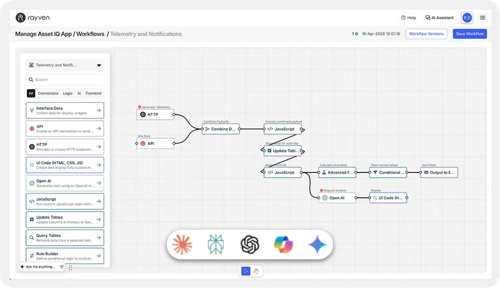
Rayven's approvals + exceptions capability allows human decision points to be embedded at any stage of a workflow - before a high-consequence action, when an exception condition is detected, or when a process requires sign-off.
Approval steps are built using workflow nodes: a notification fires, a form widget or dashboard control captures the decision, and a conditional branch routes the workflow based on the outcome. Every decision is logged with full context for audit + governance.
Workflows can be triggered by:
Exception conditions from Conditional Filter or Rule Builder
Workflow-generated approval request events
Anomaly detection or threshold outputs requiring human review
Data payloads flagged for manual validation
Scheduled review triggers
Workflow outputs can be:
Approved workflow continuation to output nodes
Rejected workflow routing to exception or escalation path
Audit-stamped decision records in Secondary Tables
Notifications to approvers + stakeholders (email, SMS)
Downstream workflow triggers based on approval outcome
KEY CAPABILITIES
What Approvals + Exceptions give you.
In-workflow approval gates
Pause a workflow at any point and require a human decision before the next step fires. The workflow sends a notification to the designated approver, waits for their input via a form widget or dashboard control, then routes based on their response. High-consequence actions - control commands, financial approvals, regulatory submissions - only fire after sign-off.
SLA-based escalations
Configure time limits on approval steps. If no decision is received within the defined SLA window, the workflow escalates automatically - reassigning to the next approver, sending a reminder notification, or routing to a fallback path. SLA escalation chains handle multi-tier approval hierarchies without manual monitoring.
Exception routing + fallback paths
When a Conditional Filter or Rule Builder identifies an exception condition, the workflow routes the payload to a defined exception path - a separate logic branch, a manual review queue, or an escalation notification - rather than proceeding with the standard output. Exception paths are configured per condition type.
Multi-step approval chains
Build sequential approval workflows where each step must be completed before the next is available. Approver assignments, required fields + outcome conditions are configurable per step. Supports multi-tier sign-off requirements - for example, team lead approval followed by manager authorisation before a final action fires.
Approval via form or dashboard control
Approvers interact with the workflow via a form widget (accessible by URL or QR code scan) or a dashboard button control. Both capture the decision as a structured workflow input - with any required comments, supporting fields or file attachments - feeding the conditional branch that determines next steps.
Complete audit trail of every decision
Every approval request, decision, escalation + exception event is stored in Cassandra with full payload context, approver identity, timestamp + outcome. Decision records are queryable via the Inspect Data tab and exportable for compliance reporting. No approval is unlogged.
HOW IT CONNECTS: EXPLAINER
Where Approvals + Exceptions fit in the Rayven Platform stack.
Approvals + Exceptions sit within the Execution Layer as the human governance stage in automated workflows.
-
Upstream nodes (Conditional Filter, Rule Builder, ML predictions) identify events that require human decision.
-
The approval step fires a notification + pauses the workflow pending input.
-
The approver responds via a form widget or dashboard control.
-
The conditional branch routes the workflow - approved continuation, rejected exception path, or escalation.
-
The Presentation Layer surfaces pending approvals in dashboard views for approver teams.
-
All decisions write to the Data Layer as auditable Secondary Table records.
USE CASES
How Approval + Exceptions get used.
Regulatory submission with multi-step sign-off
An automated environmental compliance report is generated from sensor data via a Rayven workflow. Before submission, the workflow pauses at an approval gate and notifies the compliance manager. They review via a form widget, add sign-off comments + approve. The workflow routes to the regulatory output node only after approval. If no response within four hours, it escalates to the head of compliance.
Purchase order exception handling
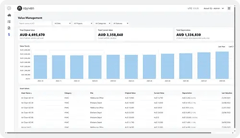
An automated procurement workflow flags a purchase order above a defined threshold using a Rule Builder node. The exception path fires a notification to the finance approver with the order details. The approver reviews via a dashboard control + approves or rejects. Approved orders proceed to the ERP write node; rejected orders route to a review queue with the reason logged.
Partner managing client approval workflows within a white-label platform
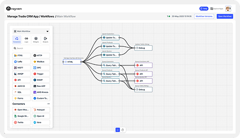
An MSP builds a permit-to-work application for a client using Rayven workflows. Work requests are automatically evaluated, exception conditions flagged + approval requests routed to the correct site manager via email notification. Managers approve via a form widget accessible on any mobile device. The permit is only issued when approval is confirmed - with full audit trail accessible to the client.
Rayven Approvals + Exceptions FAQs:
How does the Approvals module work in a Rayven workflow?
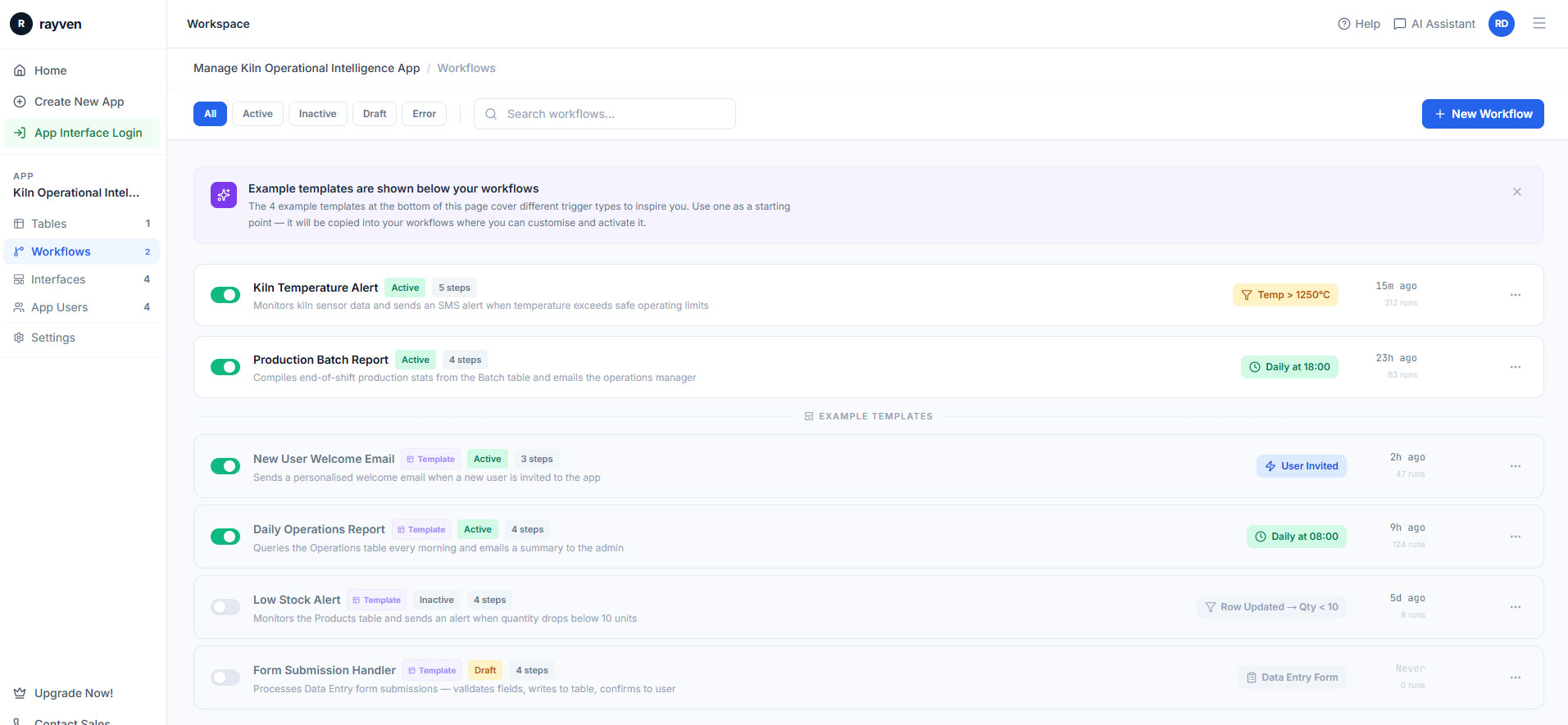
An Approval node pauses workflow execution and sends a notification (email or in-platform) to a designated approver. The workflow resumes when they approve, or routes to an alternative path if they reject or the request times out. Explore Workflows + Triggers.
Who can be designated as an approver?
Any user with an active Rayven platform account can be designated as an approver. Multiple approvers can be required (all must approve) or the first response triggers the outcome. Label-based access control ensures only authorised users see relevant requests. See Security.
What happens if an approver does not respond?
A configurable timeout period triggers a fallback path - escalating to a secondary approver, auto-rejecting, or auto-approving based on the workflow configuration. Notification retries can be set before the timeout fires. Explore Workflows + Triggers.
Can approval logic be added to any workflow?
Yes. The Approval node can be inserted at any point in any workflow. It is most commonly used before high-risk automated actions - device write commands, large data changes, AI-generated outputs or external system changes. See Control + Automation.
How are exceptions handled in Rayven?
Exception handling nodes route workflow branches that encounter unexpected data, transformation failures or out-of-range values to a defined alternative path - alerting a team member, storing the exception record for review, or triggering a recovery workflow. See Notifications + Alerts.
Can exception records be stored and reviewed later?
Yes. Exception data can be written to a Secondary Table for audit and review. This builds a record of all workflow exceptions over time - useful for pattern identification and process improvement. See Unified Data Tables.
Can AI-generated decisions require approval before acting?
Yes. A Gen AI or Predictive AI node output can route through an Approval node before triggering any downstream action. This keeps humans in the loop on AI-driven decisions in high-stakes processes. See Gen AI + AI Agents.
Can approval requests include context from the workflow?
Yes. The approval notification includes configurable data from the workflow - the triggering event, calculated values, recommended action and relevant entity information. Approvers receive full context in the notification. See Data Management.
Is there an audit log of approval decisions?
Yes. All approval and rejection decisions are logged with timestamp, user and workflow reference. This audit trail is available within platform security reporting. See Security.
Can Rayven manage exceptions from high-volume IoT streams?
Yes. Exception logic evaluates data automatically - only genuinely anomalous events (outside configured thresholds or failing validation rules) trigger an exception path. The volume of human-reviewed exceptions is a small fraction of total data volume. See IoT Devices + Protocols.
Also in the Execution Layer:
Control + Automation
Write control commands to connected devices, systems + machinery - closing the automation loop from data to action.
Predictive AI / Machine Learning
Deploy Python ML models as workflow nodes - scoring live data and triggering threshold-based actions in real-time.
Gen AI + AI Agents
Chain LLM connector nodes within workflows for document extraction, classification, summarisation + agent-style automation.
Workflows + Triggers
Schedule, event, threshold + API triggers that initiate any workflow automatically or on demand across the platform.
Rayven MCP
Give AI assistants like Claude, ChatGPT + Gemini governed, real-time access to your contextualised operational data via the Model Context Protocol.
Ready to automate?
Show us the process you want to automate and we will walk you through how Rayven handles it - from trigger to action.
Join the Shift
Discover the easy way to do something new.
Book a free 30 minute assessment with our team and we'll scope your project, needs + what a solution might look like.