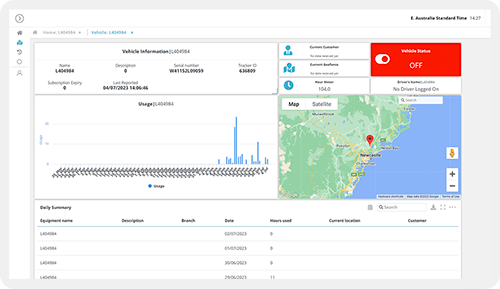
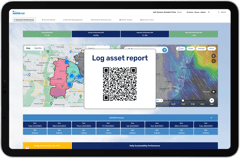
Generate QR codes linked to live operational records, forms + workflow triggers - in bulk, against any asset or entity, scannable from any mobile device in the field.
CAPABILITY OVERVIEW
Connect physical assets to digital workflows, instantly.
Rayven's QR code generator creates unique codes linked directly to platform records, form templates or workflow triggers.
Scan a code on an asset and the correct inspection form opens, pre-populated with that asset's UID.
Scan a code at a location and a check-in workflow fires.
Generate codes in bulk for entire asset fleets, print batches for deployment + manage expiry dates and redirects centrally.
QR codes eliminate manual record lookup, ensure data is captured against the correct entity + bring field-based operational processes into real-time digital workflows.
Data sources feeding dashboards include:
Primary Table UID assignments (linking QR codes to specific records)
Form template references (launching pre-configured forms on scan)
Workflow trigger references (firing specific workflow events on scan)
Outbound connections include:
QR scan events triggering connected workflow executions
Form launches pre-populated with asset UID on scan
Workflow-routed data from scan events into downstream processing
KEY CAPABILITIES
What QR Code Generator give you.
Bulk QR code generation
Generate QR codes in bulk for entire asset fleets, site locations + process stations. Each code is uniquely linked to a Primary Table UID, form template or workflow trigger. Bulk generation supports large-scale deployments - from 10 codes to 10,000 - without manual configuration per code.
Asset + entity UID linking
Every QR code links to a specific UID in a Primary Table. Scanning the code on an asset pre-populates the linked form or workflow with that asset's identity - eliminating manual UID lookup and ensuring field data is always captured against the correct record.
Form launch on scan
Configure QR codes to launch a specific Rayven form on scan, pre-loaded with the asset UID. Field teams scan the code and complete the form - no manual navigation, no manual record selection. The submitted data is automatically associated with the correct entity.
Workflow trigger on scan
Configure QR codes to fire a specific workflow event on scan - a check-in event, a maintenance trigger, a delivery confirmation or any other workflow-enabled process. Scan events are timestamped, UID-stamped + routed through the connected workflow chain immediately.
Configurable expiry + redirects
Set expiry dates on QR codes for time-limited access - permit to work, visitor passes, temporary access workflows. Expired codes redirect to a configured page or display a configured message. Redirect destinations are updateable centrally without reprinting codes.
Mobile scanning from any device
QR codes are scannable from any mobile browser without an app installation. Field teams scan using a smartphone camera - the linked form, workflow or screen loads immediately in the browser. No dedicated scanning app, no software deployment required.
HOW IT CONNECTS: EXPLAINER
Where QR Code Generator fit in theRayven Platform stack.
The QR code generator sits in the Presentation Layer as the physical-to-digital bridge between assets in the field and Rayven workflows.
QR codes link directly to Primary Table UIDs, form templates + workflow triggers.
Scan events fire as workflow trigger events in the Execution Layer.
Submitted form data routes through the Data Layer for storage + processing.
The Security Layer governs which users can access which QR code destinations based on role + Label assignments.
Asset inspection digitisation for an infrastructure operator
An infrastructure operator generates 3,000 QR code labels for their asset fleet - each linking to the correct asset UID in the Primary Table. Stickers are attached to physical assets. Maintenance staff scan each asset on inspection, complete the pre-loaded inspection form + submit. Data writes to the asset's Secondary Table record + triggers escalation if a defect is logged. No manual record lookup, no paper forms.
Permit to work process for a construction site
A construction site configures QR codes for each work zone, linking to a permit to work workflow. Workers scan the zone code, complete the permit form + the workflow routes the request to the site supervisor for approval. The permit is issued digitally when approved. Code expiry is set to the permit duration - expired codes prevent further access. Full audit trail of every permit issued.
Partner deploying QR-based service delivery tracking for a logistics client
An MSP generates QR codes for a logistics client's warehouse locations, each linking to a proof-of-delivery workflow. Drivers scan the location code on arrival, submit delivery confirmation + the workflow updates the shipment record, timestamps the delivery + notifies the client portal. Delivered as the partner's own logistics product.
Rayven QR Code Generator FAQs:
What can a Rayven QR code be linked to?
A Rayven QR code can link to a dashboard, form, Screen Flow, asset record, workflow trigger, or any URL within the platform. This makes them useful for equipment tagging, site check-ins, and rapid data entry. See the Presentation Layer.
How do I create a QR code in Rayven?
Open the QR Code Generator in the Presentation Layer, select the destination - such as a form or dashboard - configure any pre-fill parameters, and download or print the generated code. See all Presentation Layer capabilities.
Can QR codes be dynamically updated without reprinting?
Yes. Rayven QR codes use an intermediate redirect, so you can update the destination URL or parameters in the platform without changing the physical printed code. See Presentation Layer.
Can I brand the QR code with a logo?
Yes. Rayven lets you embed a logo or icon at the centre of the QR code and choose foreground and background colours to match your branding guidelines. See Widgets + UI Components.
Are QR code scans tracked and logged?
Yes. Each scan is logged with a timestamp, device type, and optionally the authenticated user, giving you visibility into when and where codes are being used across your operations. See Security.
Can a QR code trigger a workflow in Rayven?
Yes. You can configure a QR code to open a workflow trigger endpoint, so scanning automatically initiates a process such as a work order, inspection, or approval request. See Workflows + Triggers.
Can QR codes be used for asset tracking?
Yes. A common pattern is to generate one QR code per physical asset, link it to that asset's record, and use it to pull up history, run inspections, or log maintenance activities on-site. See Data Management.
What format is the QR code exported in?
Rayven exports QR codes as PNG and SVG files so they can be used in print materials, labels, and digital displays at any size or resolution. See Presentation Layer.
Can a QR code link to a pre-filled form?
Yes. You can embed query parameters in the destination URL so scanning opens a Rayven form with fields like location, asset ID, or job number already populated. See Custom Form Builder.
Are there limits on how many QR codes I can create?
No. Rayven imposes no hard limit on the number of QR codes you can generate. You can create individual codes or generate them in bulk from an asset or location list. See Presentation Layer.