Define how users navigate your application - multi-level screen structures, role-based paths + hierarchical data views that adapt to user permissions without separate builds per audience.
CAPABILITY OVERVIEW
One application, many user journeys.
Rayven's screen flows + hierarchies capability lets you define the navigation structure of any application built on the platform.
Configure multi-level screen hierarchies, conditional screen paths based on user role or Label + drill-down views that move from summary to detail. The same application layout serves different user groups with different navigation paths + data scopes - without building separate applications per audience.
Screen flows are configured using the visual builder + deploy across web, tablet + mobile interfaces without separate mobile builds.
Data sources feeding dashboards include:
User role + Label assignments (for conditional screen routing)
Live Cassandra + MySQL data (driving dynamic content per screen)
Workflow execution results (updating screen state in real time)
Form submissions + control widget actions (navigating between screens)
Outbound connections include:
Role-based screen path routing for different user audiences
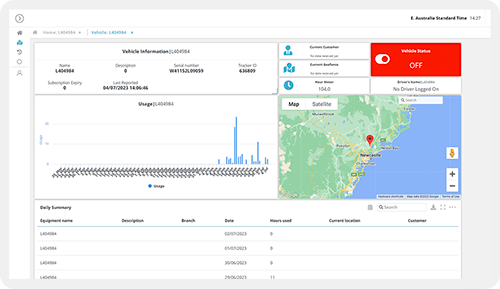
Drill-down navigation from summary to entity-level detail views
Define parent and child screen relationships that create logical navigation structures across your application. Summary screens link to detail screens; operational overviews drill down to individual asset or entity views. Hierarchies are configured visually + adapt their content per user role and Label assignment.
Role-based screen paths
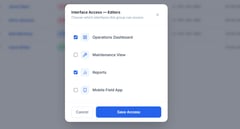
Configure different navigation paths for different user roles within the same application. An operator's journey through the app differs from a manager's or a compliance officer's - different screens are accessible, different data is visible + different actions are available, all within a single application configuration.
Label-filtered data views
Apply Label filters to screen content so each user sees only the data matching their Label assignment. A site manager sees their own site's screens. A client in a multi-tenant portal sees only their own records. The same screen template presents different scoped data per authenticated user.
Conditional screen logic
Show or hide screens + navigation elements based on runtime conditions - user role, data state, workflow outcome or user interaction. Screens can appear or disappear based on what's happening in the operation - for example, an exception screen that only appears when an alert is active.
Drill-down from summary to detail
Build applications where users navigate from an aggregate overview to progressively more detailed views - fleet to site to asset to reading level. Each screen in the hierarchy connects to the appropriate granularity of data for that level, maintaining context throughout the navigation path.
Mobile-responsive deployment
Screen flows adapt their layout to the device automatically. The same navigation structure and content hierarchy renders across desktop, tablet + mobile browser interfaces without separate mobile builds or parallel configuration. Breakpoints are configurable per screen.
HOW IT CONNECTS: EXPLAINER
Where Screen Fllows + Hierarchies fit in theRayven Platform stack.
Screen Flows + Hierarchies sit in the Presentation Layer as the navigation architecture layer above individual widgets + interface components.
Each screen in a hierarchy is a configured collection of widgets pulling from the Data Layer + Execution Layer.
Role + Label assignments in the Security Layer govern which screens each user can access and what data they see.
User navigation events between screens can trigger workflow events in the Execution Layer.
The same screen flow structure deploys across web + mobile interfaces without separate builds.
Asset monitoring application with drill-down navigation
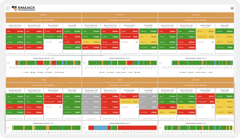
An energy operator builds a fleet monitoring application with a three-level screen hierarchy: fleet overview (all 500 assets as KPI tiles) ? site view (assets per site with status indicators) ? asset detail (full telemetry, maintenance history + ML prediction for a single asset). Each level is a screen in the hierarchy. Users drill down from the fleet level with two clicks. Label filtering scopes each engineer's view to their assigned sites.
Multi-role facilities management portal
A facilities management firm builds one application serving three user groups with different screen paths. Technicians navigate to work order screens + field inspection forms. Supervisors navigate to team workload dashboards + approval queues. Clients navigate to service request submission + status tracking screens. All within the same application - role-based screen paths route each user to the correct starting point.
Partner building a white-label multi-client SaaS portal
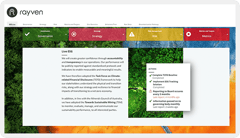
An MSP builds a multi-tenant portal where each client has their own branded entry point. Label-based screen filtering ensures each client only navigates through their own data hierarchy - from a portfolio overview down to individual asset and event detail screens. The MSP manages one application configuration; each client experiences a purpose-built portal.
Rayven Screen Flows + Hierarchies FAQs:
What is a Screen Flow in Rayven?
A Screen Flow is a guided sequence of screens that takes a user through a defined process - such as a safety inspection, maintenance checklist, or onboarding task - step by step within the Rayven interface. See the Presentation Layer.
What is the difference between a Screen Flow and a Dashboard?
A Dashboard displays data passively and allows free exploration. A Screen Flow is procedural - it guides users through a fixed sequence of steps, collecting input or displaying context at each stage. See Dashboards + Visualisations.
Can Screen Flows include conditional logic or branching?
Yes. You can configure conditional paths so the next screen shown depends on a previous answer or a live data value, making flows adaptable to different situations and user types. See Workflows + Triggers.
How do hierarchies work in Rayven?
Hierarchies let you organise assets, sites, or entities into parent-child relationships. Screen Flows and dashboards can then filter and display data relative to a user's position in the hierarchy. See Data Management.
Can I restrict which screens a user can access?
Yes. Rayven's role-based access control applies to Screen Flows, so you can limit which flows are visible to which users or groups. Users only see what is relevant to their assigned role. See Security.
Can Screen Flows be embedded in other applications?
Yes. Screen Flows can be surfaced via iframe or as a standalone URL, allowing them to be embedded in third-party portals, intranets, or field-service applications. See HTML + JavaScript.
How are Screen Flows built?
Screen Flows are built in Rayven's drag-and-drop UI builder. You add screens, configure content or form fields on each, define transition conditions, and publish - no code required. See Widgets + UI Components.
Can a Screen Flow trigger a Rayven workflow?
Yes. At any step in a Screen Flow you can fire a workflow trigger, so completing a screen can automatically initiate downstream processes like notifications, data writes, or API calls. See Workflows + Triggers.
Are Screen Flows mobile-responsive?
Yes. All Rayven Screen Flows are built on a responsive layout engine, so they adapt automatically to the screen size of the device being used, including phones and tablets in the field. See Presentation Layer.
Can I share a Screen Flow with an external user?
Yes. You can generate a shareable link for a Screen Flow that external users can access without a full Rayven login, optionally protected by a PIN or token for basic security. See Security.